Case 07 · Mobile UX
CH.2 · Mobile UXMDE · Connectivity · Voice UX
Mobile division (MX)
Led the UX of 'Effortless Connection', MX's first Multi Device Experience concept built around Samsung Connect (SmartThings' forerunner) — making device connections easy for anyone.
Context · Problem
Connecting devices gets harder as the number of devices grows — it had to become easy for anyone.
Setup was the top complaint
As wearables, audio and IoT products multiplied, users found first connection (OOBE) and setup the most frustrating part.
Every division did it differently
The Mobile, Home Appliance and Visual Display divisions each connected devices differently, making a consistent experience hard.
Wireless tech is hard
Wireless technologies like Bluetooth, Wi-Fi and hotspot are unfamiliar to users, starting with their setting names.
Role · Approach
Effortless Connection — Instant · Intuitive · Consistent
Role: UX lead and UX/UI design
- 01
MDE (2017.01–2018.01)
Led UX for MX's first Multi Device Experience concept: set up a TV from your phone; unbox an accessory and nearby Galaxy devices connect it in one tap. (Patent granted — BLE-based Adaptive Easy Pairing)
- 02
One connection standard
Unified connection across the Mobile, Appliance and VD divisions and industry standards; designed account-based auto-connection and the CES 2018 booth. (Patent filed — cloud-based Connection Switching)
- 03
Bixby VUI
Voice interactions for SmartThings and connectivity (Bluetooth, BLE, Wi-Fi, hotspot).
- 04
Connectivity UX/UI
Bluetooth, Wi-Fi (Direct, mirroring), mobile network and hotspot UX/UI, plus SmartThings (Samsung Connect) watch UX and Quick Panel UX.
Concept image · reconstructed for portfolio, not a real screen
Impact
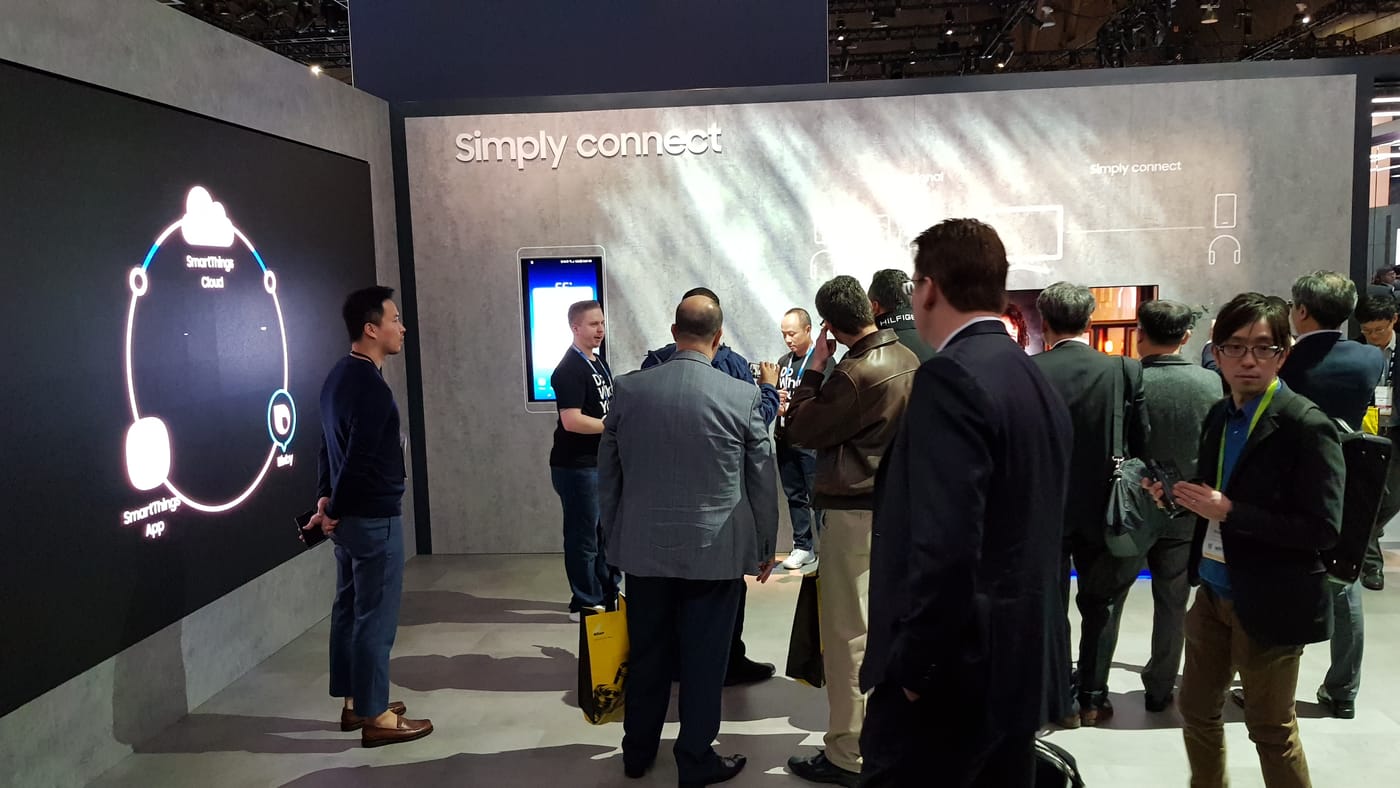
- Chosen as the first MDE theme at CES 2018 and applied to all Samsung mobile products
- Patent granted: BLE Advertisement-based Adaptive Easy Pairing (US10911920 · EP3639538 · KR 10-2301386)
- Patent filed: Connection Switching using cloud information (US 16/960,862)
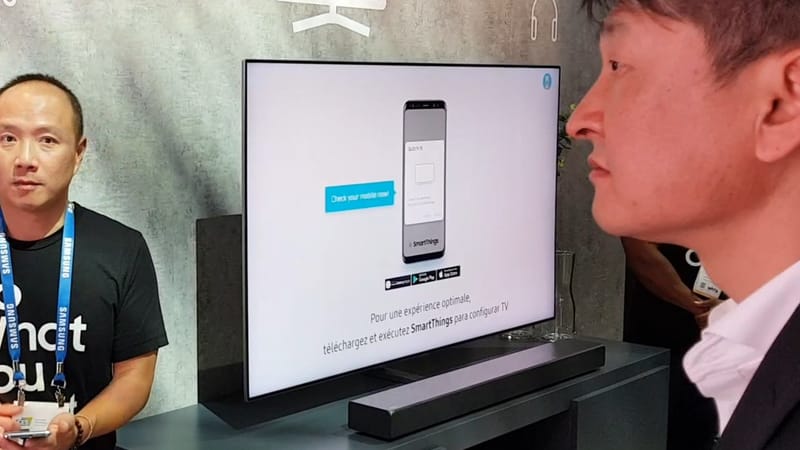 1
1Easy phone setup prompt
Start with SmartThings
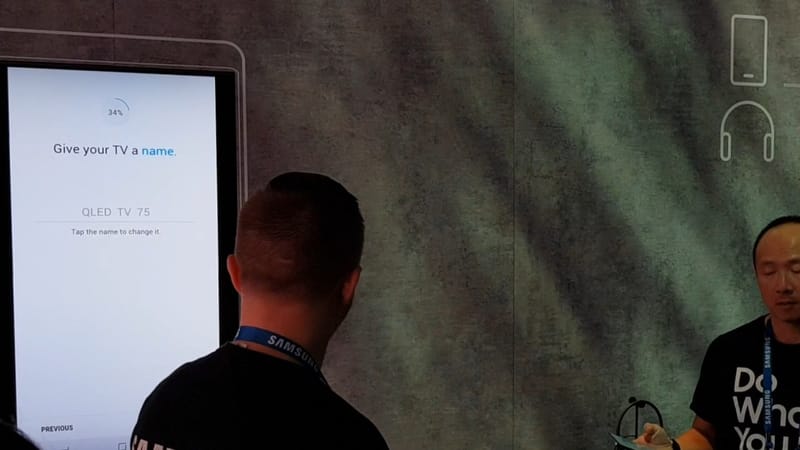 2
2Name the TV on the phone
No remote typing
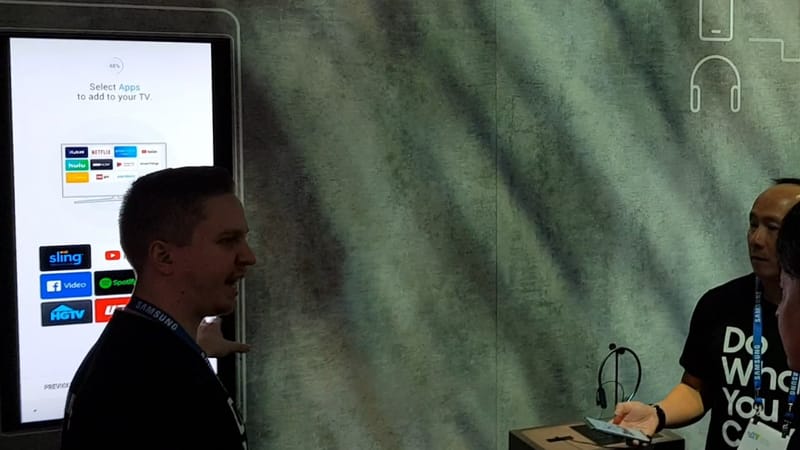 3
3Easily add apps and services
All at once from the phone
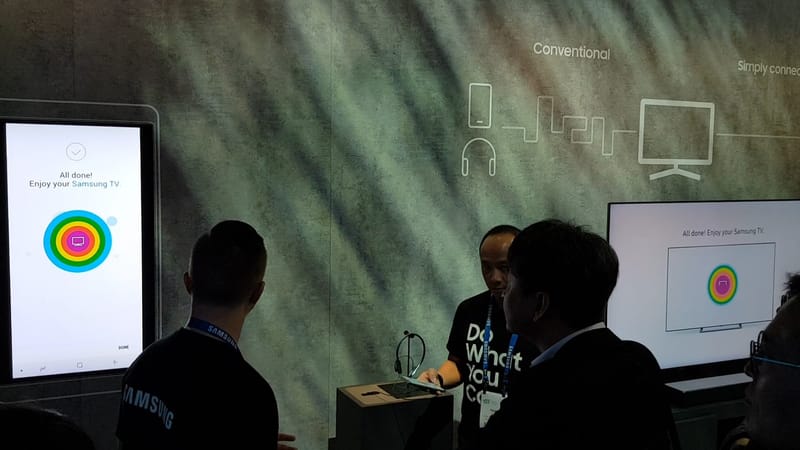 4
4Setup complete
Phone and TV finish together
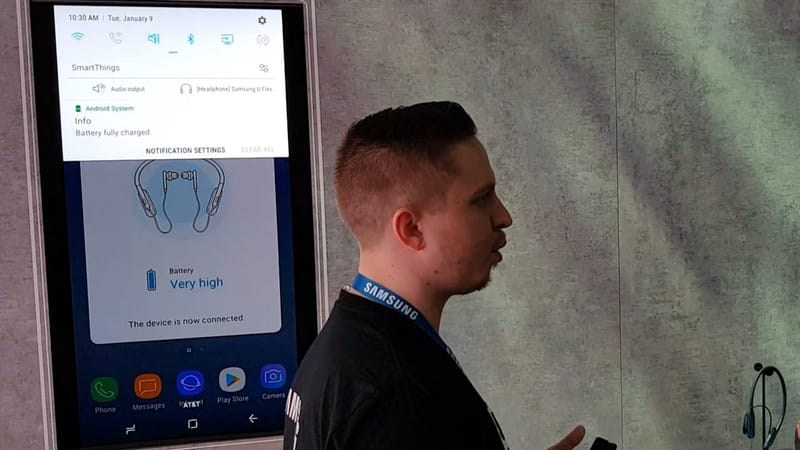 5
5Accessory auto-connects
Done with one pop-up