GenAI UX & Design Automation
SmartThings Pro × AI
AI in SmartThings Pro — one conversation for a complex B2B solution — and design automated from PRD to Figma UI guide.
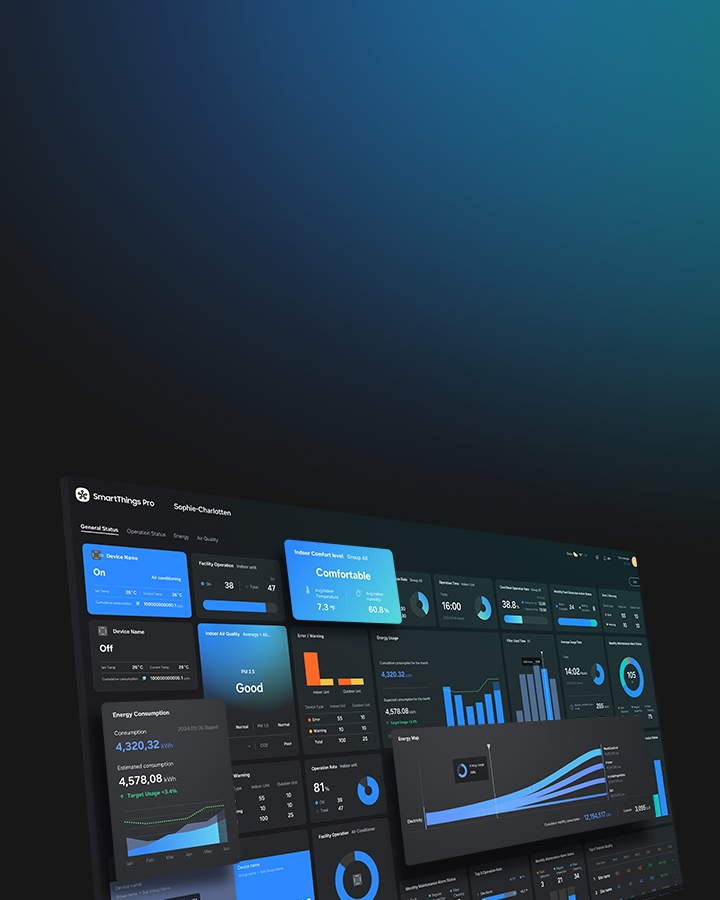
Confidential, ongoing work — shown as concept images only, never real screens or data.
Context · Problem
A feature-rich, complex B2B management solution had to become easy for anyone to use, and repetitive UI-guide production had to shrink.
Complex B2B features
SmartThings Pro has many features for running buildings and spaces, so operators face a steep learning curve just to find and use what they need.
Repetitive UI guides
Every PRD change meant designers rebuilt the UI guide by hand, slowing delivery and weakening design–development consistency.
Multilingual quality
For a global solution, inconsistent terms and tone in automatic translation erode trust in the product.
Role · Approach
Applying AI to both the experience and the way we work — not just as a feature
Role: GenAI UX lead; planning and building AI design automation
- 01
GenAI chatbot — replace and extend features
Designed the top-level solution architecture and conversational UI of a generative-AI chatbot that replaces and extends SmartThings Pro features through conversation.
- 02
AI translation — rules first
Built guidelines for automatic multilingual translation — core principles, tone and manner, format and localization rules, and a glossary — so it behaves consistently.
- 03
AI design automation — PRD to UI guide
Planning and building a system, with Claude and Figma MCP, that reads PRDs in Confluence and Jira and generates Figma UI guides automatically.
- 04
AI shift for the team
Led the adoption and operation of AI tools for the UX group (Gemini, ChatGPT, Claude, Midjourney, Firefly and more).
Key Design · GenAI chatbot
One conversation instead of hunting through menus
- 1
Features through conversation
Designed SmartThings Pro features that used to live deep in menus — device control, schedules, energy reports — to run and answer through conversation.
- 2
Top-level solution architecture
Designed how the generative-AI chatbot reaches SmartThings Pro's features and data.
- 3
Conversational UI
Designed the conversational UI from a one-line request to confirming the result.
- 4
Sold as a SmartThings Pro feature
The AI chatbot has been sold as a supported SmartThings Pro feature. The customer is confidential and not named.
Key Design · AI design automation
PRD → AI-ready design tokens → Figma UI guide
- 1
The PRD is the source
Feature definitions in PRDs in Confluence and Jira are the starting point of every UI guide.
- 2
AI-ready design tokens
Built and standardized design tokens, based on Atlassian's token system, that AI can read to interpret requirements.
- 3
Generated with Claude + Figma MCP
Claude maps PRDs to tokens through Figma MCP and builds the UI guide in Figma automatically.
- 4
A mapping structure
Designed the mapping between PRD, design system and UI guide, making clear which components and tokens each feature definition leads to.
Impact
- The AI chatbot sold as a supported SmartThings Pro feature (customer confidential)
- Set the direction and design principles for generative-AI B2B solution UX
- Driving design–development consistency and productivity by automating UI guides (in progress)
- Changed how the team works by adopting and running AI tools for the UX group
- This portfolio itself was designed and built with Claude — one design-token source feeds the web, PDF and Figma