Case 04 · Spatial IoT
CH.4 · Advancing spatial UXSmartThings Map View
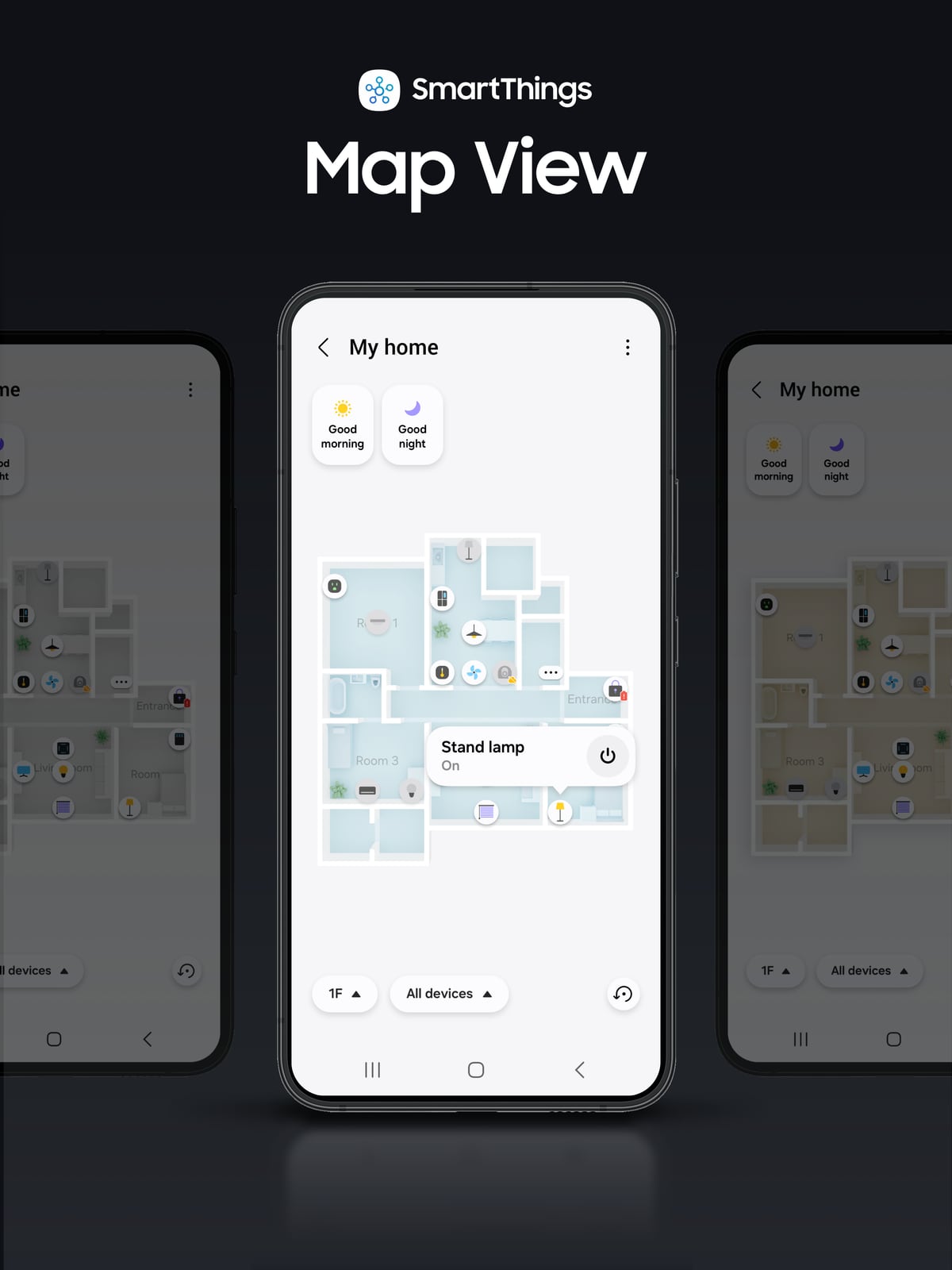
The smart home on a 3D floor plan
Proposed a SmartThings experience where you see and control devices on a 3D plan of your actual home instead of a list of icons — and launched it first for smart apartments.
Context · Problem
With icon lists for device control, it was hard to grasp at a glance where devices are in the home and what state they're in.
Lists lose location
When devices only appear in a list, you have to remember by name which device is in which room.
The burden of drawing a plan
Asking users to draw their home themselves adds friction from the very first use.
The smart-apartment link
Smart apartments already have floor plans and installed-device data that could be put to use.
Role · Approach
From advanced concept to app launch
Role: UI/UX design lead (proposed and adopted as an advanced concept in 2022, then built)
- 01
2022 concept proposed and adopted
Proposed showing SmartThings on a 3D plan of the actual home, and the concept was adopted.
- 02
2023 built into the app
As UI/UX design lead, brought the adopted concept into the SmartThings app.
- 03
Worked with builders
Worked with builders of new complexes to connect every room and place devices automatically by space.
Key Design · Map View creation flow
Automatic floor plans + automatic device placement
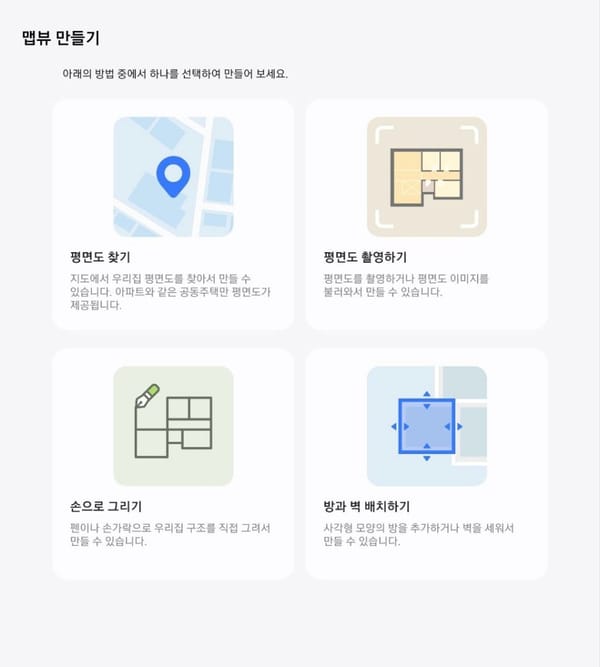 1
1Create Map View
Find, photograph or draw a plan
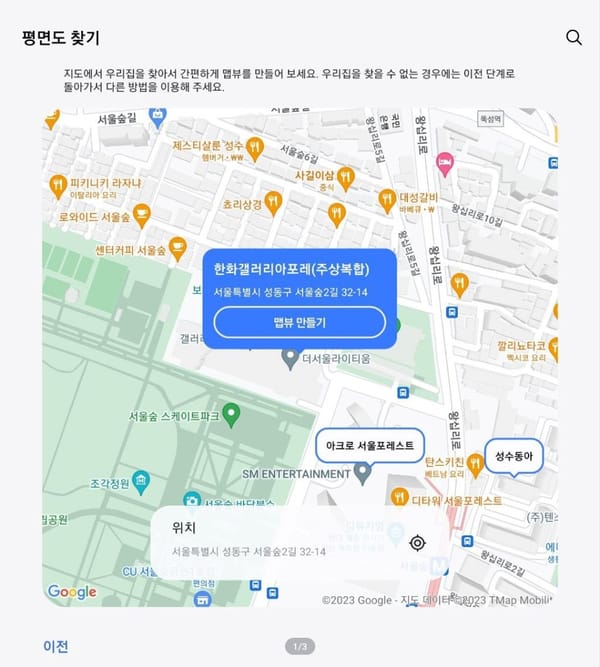 2
2Find the complex
Choose it by map or search
Auto in smart apts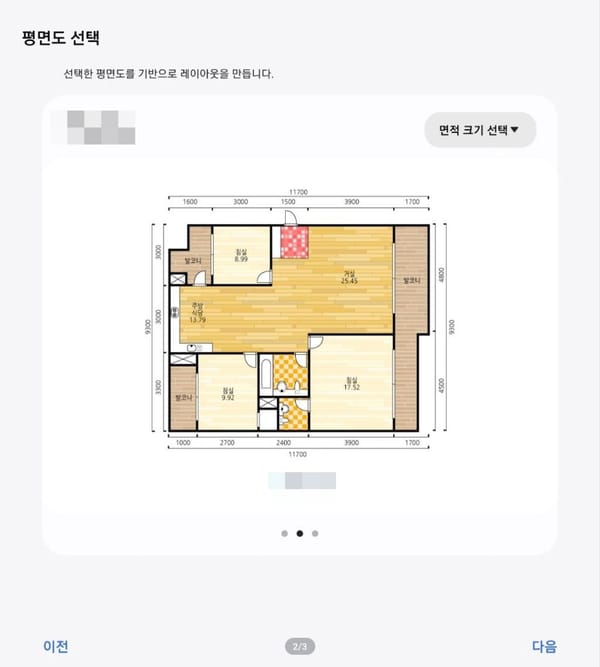 3
3Pick the unit size
The complex's plans by size
Auto in smart apts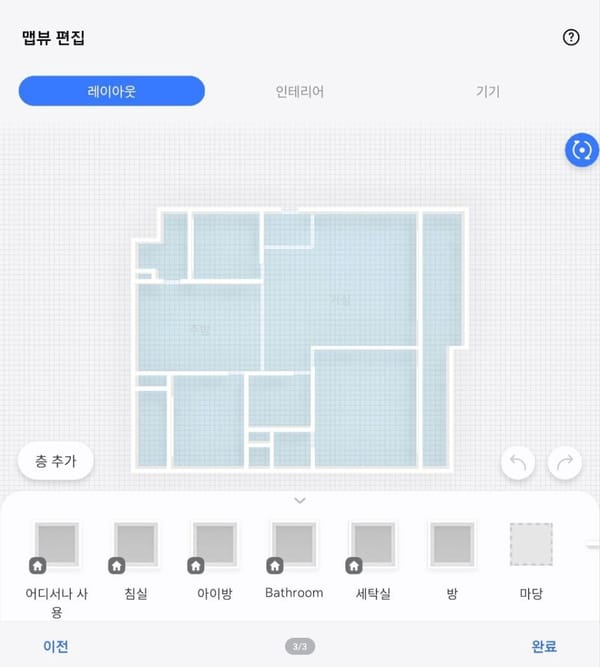 4
43D plan created
Map View from the chosen plan
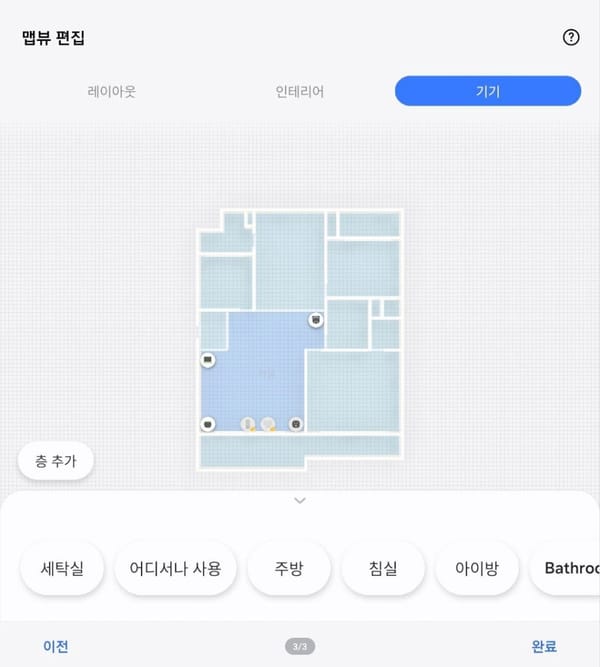 5
5Place devices
Devices placed by space
Auto in smart apts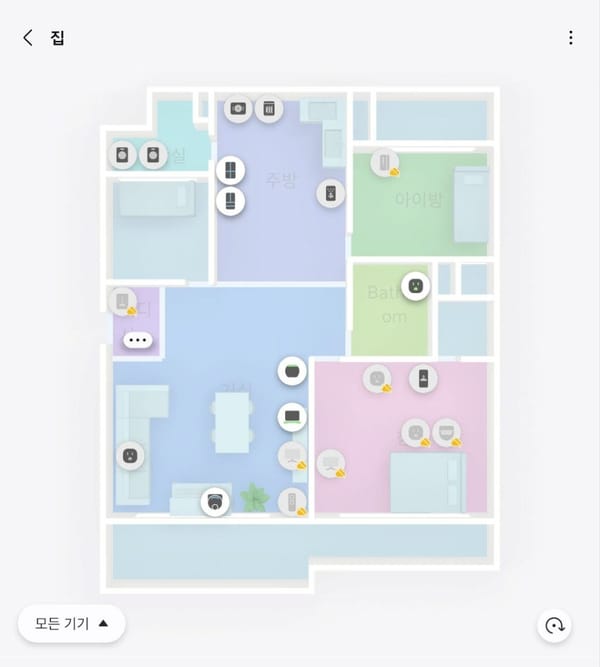 6
6Map View done
Check and control on the space
- 1
Complex & size found
In SmartThings-linked smart apartments, the complex and unit size are found and the plan loaded automatically. (②·③)
- 2
3D plan, automatically
The loaded plan becomes a 3D plan of the actual home automatically. (④)
- 3
Devices auto-placed
Entrance, living-room and kitchen IoT devices land in the right spots on the plan. (⑤)
- 4
Every room
Working with builders of new complexes, every room is connected and devices are placed automatically by space.
Key Design · Smart apartments first
Map View launched first for smart apartments

- 1
Smart apartments first
Introduced a Map View-based home IoT solution for smart apartments with SmartThings (announced 2023.07.06).
- 2
About four months ahead of Amazon
Announced about four months before Amazon Alexa's Map View (reported 2023.11.15).
- 3
A first for IoT solutions
The first IoT solution to automatically convert 2D plans to 3D and place devices automatically.
- 4
2024 iF Design Award
SmartThings Map View won a 2024 iF Design Award.
Impact
- FirstIoT solution with automatic 2D→3D conversion and device placement
- ~4 monthsAnnounced ahead of Amazon Alexa Map View
- The first IoT solution with automatic 2D→3D conversion and automatic device placement
- Announced for smart apartments on 2023.07.06, about four months ahead of Amazon Alexa's Map View (reported 2023.11.15)
- 2024 iF Design Award